Instructions
To make this component work you must follow these steps:
- Add a page trigger and select Mouse move in viewport
- Select the Portfolio 20 Image Movement animation
- Adjust smoothing to achieve desired affect (recommend 80-90%)

Important:
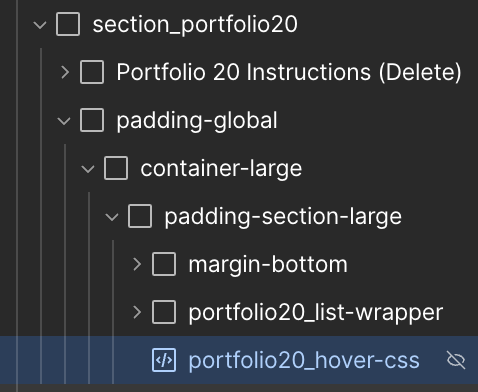
If you rename this component, remember to update the classes in the HTML embed named portfolio20_hover-css found inside the padding-section-large div.
.jpg)

%20(1).webp)


There’s plenty more.
Curious about other projects I’ve worked on?
I’d love to tell you more.
.svg)
Brands I’ve Worked With
.svg)
Brands I’ve Worked With
.png)
Brands I’ve Worked With

Brands I’ve Worked With
.svg)
Brands I’ve Worked With
.svg)
Brands I’ve Worked With
.svg)
Brands I’ve Worked With
.svg)
Brands I’ve Worked With